Find the hiring manager's email for any job
Applier Reach is a Chrome extension for job seekers. Open a job posting and it shows who is hiring for the role, reveals their work email and drafts a short introduction from your resume that opens in Gmail. You read it, edit it and press Send.
How Applier Reach finds the hiring manager's email
Reach works from the job you are already looking at, so there is nothing to copy and paste into a search tool. Three steps:
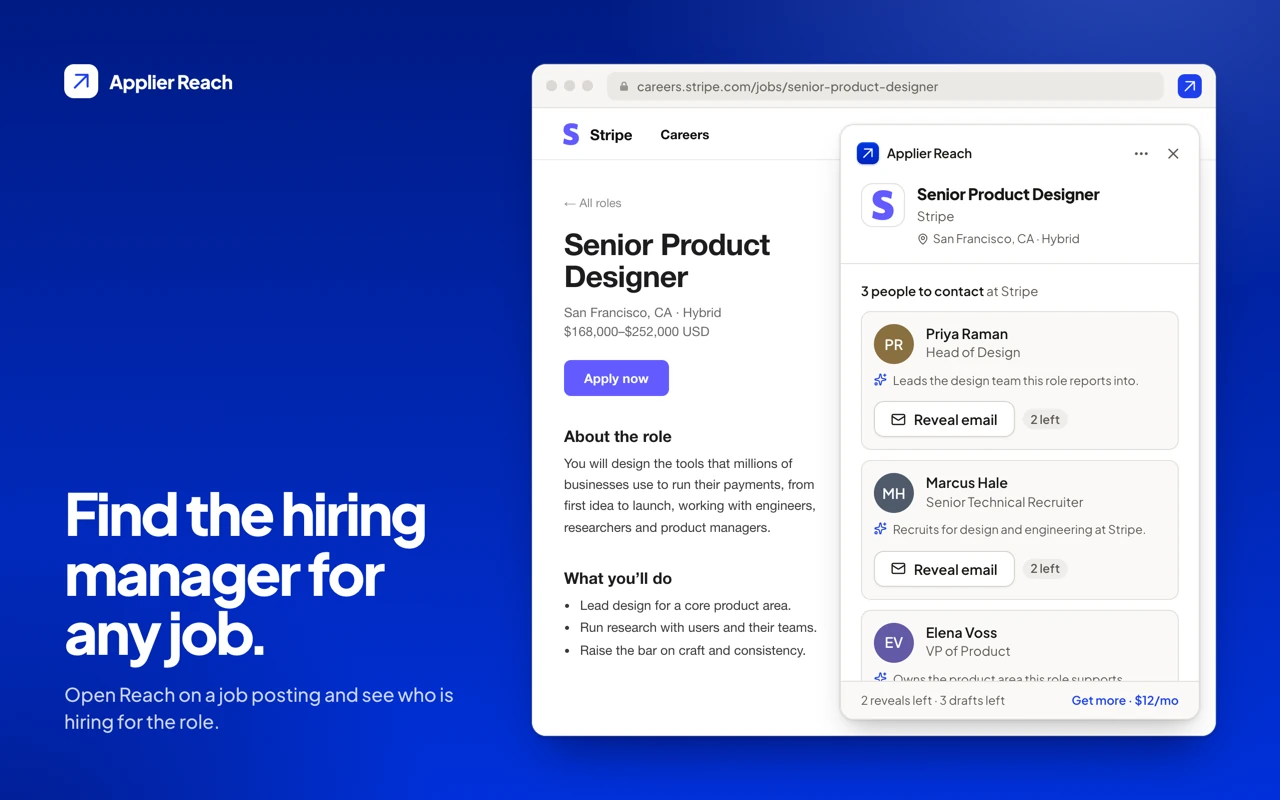
1. Open a job and find who is hiring
On LinkedIn Jobs, SEEK, Indeed, Greenhouse, Lever, Ashby, Workday and SmartRecruiters, a slim Reach tab appears at the edge of the posting. On any other careers page, click the toolbar icon and Reach checks that one tab for a standard job posting. Press Find the hiring manager and you see the people at the company who hire for the role: name, title and a line on why each one is a good person to write to. Looking people up doesn't use a reveal. On LinkedIn Jobs, as everywhere else, Reach reads the job you're viewing when you open it; it never applies, messages or automates anything on LinkedIn.
2. Reveal a work email
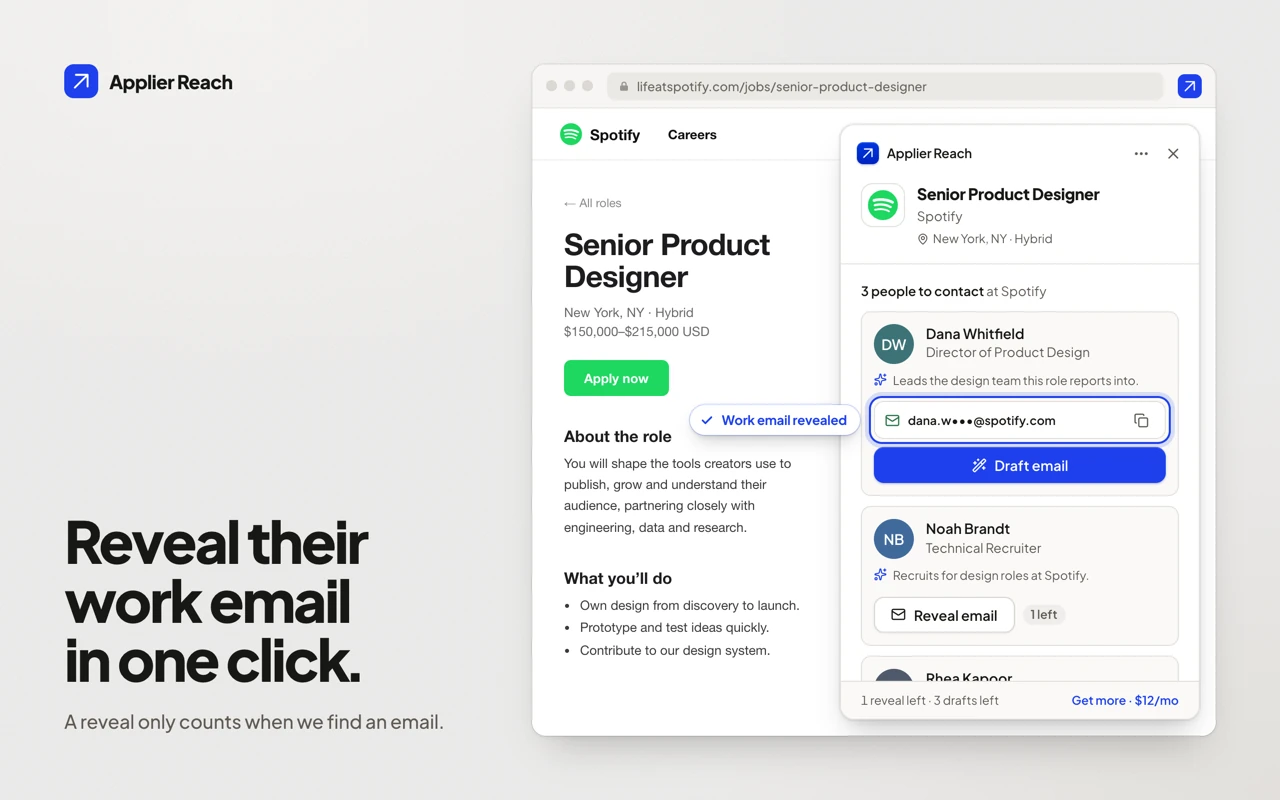
Press Reveal email on the person you want and Reach shows their work email, with a copy button. A reveal is only counted when an email is actually found, and revealing the same person again is free. Reach shows how many reveals you have left in the panel before you press anything.
3. Draft your introduction and open it in Gmail
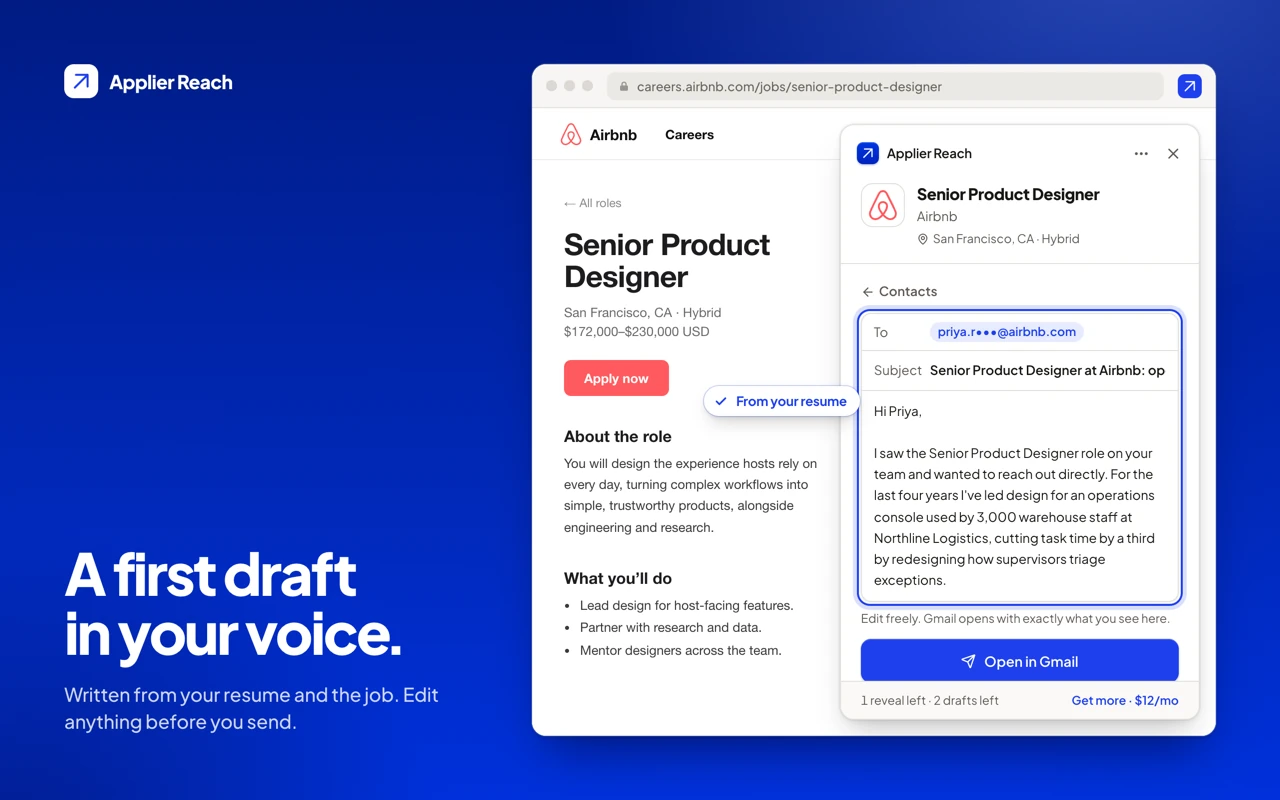
Upload your resume once and Reach writes a short, specific note grounded in it, addressed to the person you picked. Change the subject or any line. Open in Gmail opens a compose window with exactly what you see, and nothing is sent until you press Send in Gmail. Reach never reads your inbox and never sends email for you.
Follow up without a spreadsheet
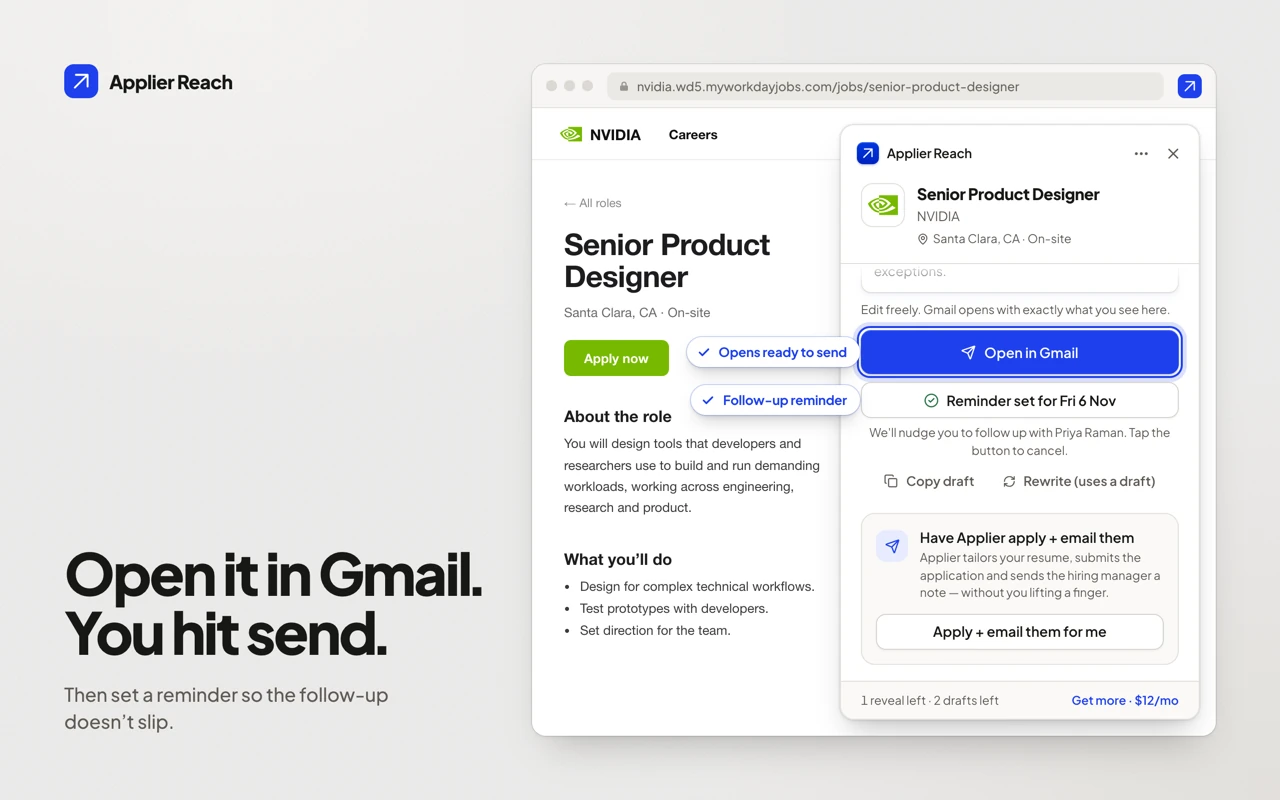
One tap sets a reminder for 5 days later, so a good lead doesn't go cold. Reach shows it as a notification and keeps the date in your browser. For wording, our hiring manager email templates include two follow-ups, and when to follow up after a job application covers the timing.
When to use Reach
- You found a job and want to write to the person behind it. Email the hiring manager directly after you apply through the employer's form. Our guide to finding a hiring manager's email address shows the manual route; Reach does it in the same tab.
- The posting names nobody. Most don't. Reach suggests the people whose teams own the hire, including recruiters, and you pick.
- You want to know whether to write to a recruiter or the manager. See hiring manager or recruiter: who to contact.
Reach doesn't submit applications. Apply on the employer's site as you normally would, then email.
Applier Reach pricing
Sign in for free and you get a monthly allowance of reveals and drafts. Applier Reach adds more reveals for $12 a month, and every Applier plan includes Reach.
| Plan | Price | Email reveals per month | Intro-email drafts per month |
|---|---|---|---|
| Free (signed in) | $0 | 5 | 5 |
| Applier Reach | $12/month | 30 | Unlimited |
| Included with Applier | Included | 10 on the free trial, then 50 on Starter, 100 on Pro, 200 on Max | Unlimited |
Need more reveals? A top-up pack adds 25 reveals for $9, one time. Packs never expire and are used after your monthly allowance. Packs are for Applier Reach and Applier subscribers. Prices are in US dollars. The full catalog is on the pricing page.
Privacy: what Reach reads and sends
- Job pages. Reach reads a job page only to detect a posting. It sends the posting's title, company, location, description and links to Applier only when you press Find the hiring manager or Have Applier apply + email them.
- Your email. It doesn't read your Gmail and never sends anything for you.
- Analytics. Reach counts which features you use, with only the job-board name and your plan, never page addresses, job text, names or email addresses. It's off in the UK, the EEA and Switzerland and when your browser sends Global Privacy Control, and you can switch it off in settings.
- No remote code, no selling. Everything runs from the extension package, and we don't sell your information.
The full wording is in Section 10 of the Privacy Policy.
Want the whole search done?
Reach gets you to the right person. Applier does the rest. We apply. Then we email the hiring manager from your Gmail, with follow-ups. We find roles that match your profile, tailor your resume, write a cover letter for each one and submit on the employer's own site. Press Have Applier apply + email them in Reach to queue the job you're viewing into your Applier account. See how Applier works or compare it with other tools.
Get Applier Reach
Reach is included in every Applier plan. If you only want the email format for a name and company, the free email format finder works without an account.
Real interview invites from members' inboxes
See more interview invites →
 Meta

 Google

 AWS
Frequently asked questions
What is Applier Reach?
Applier Reach is a Chrome extension that finds the hiring manager for a job posting, reveals their work email and drafts an introduction from your resume that opens in Gmail. It is made by Applier and works alongside, not instead of, the application you submit on the employer's site.
Is Applier Reach free?
Signed in, you get 5 email reveals and 5 intro drafts every month at no cost. Applier Reach at $12 a month raises that to 30 reveals and unlimited drafts, a $9 pack adds 25 reveals that never expire, and every Applier plan includes Reach.
How does Reach find a hiring manager's email address?
Reach reads the job you are viewing, looks for the people at that company who hire for the role, and shows their names and titles. When you press Reveal email it looks up a work email from a contact-data provider. A reveal is only counted when an email is found; if none is found you aren't charged, and revealing the same person again is free.
Which job sites does Reach work on?
It runs automatically on LinkedIn Jobs, SEEK, Indeed, Greenhouse, Lever, Ashby, Workday and SmartRecruiters. On any other careers page, click the Reach toolbar icon and it checks that tab for a standard job posting.
Does Reach send emails for me?
No. Reach drafts the email and opens it in a Gmail compose window. Nothing is sent until you press Send, and Reach never reads your inbox.
Do I need an Applier subscription to use Reach?
No. Reach works on a free Applier account. Applier subscribers get a larger monthly reveal allowance and can queue the job they are viewing into Applier with the Have Applier apply + email them button.
How is Reach different from ContactOut or Hunter?
ContactOut and Hunter are contact-data and outreach platforms, with plans aimed at sales and recruiting teams. Reach starts from the job posting you have open, picks likely hiring contacts for that role and writes your introduction from your resume. Our roundup of hiring manager email finders compares them with prices and checked dates.
What does Reach do with my data?
It reads a job page only to detect a posting and sends the posting to Applier only when you press Find the hiring manager or Have Applier apply + email them. It does not read your Gmail, and usage analytics carry no page addresses, job text, names or email addresses. See Section 10 of the Privacy Policy.